

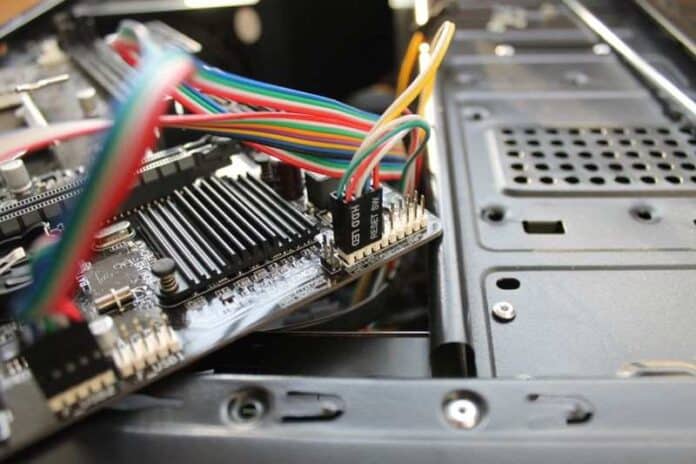
Your computer breaks. You could try DIY fixes. Watch YouTube videos. Follow forums. Or hire professionals. Most people try DIY first. Then discover things are worse. Files corrupted. Systems won’t boot. Data missing. Professional IT repair services handle problems systematically. They diagnose properly. They preserve data. They prevent the cascade problems DIY attempts create.
But what separates professional repair from DIY? Are professionals just doing what people find online?
Diagnostic Equipment Identifies Root Causes
Your computer runs slowly. Is it malware? Insufficient RAM? Full hard drive? Overheating? Multiple issues? DIYers guess and try fixes. Each failed attempt makes the diagnosis harder. Professionals use diagnostic tools revealing exactly what’s wrong. They measure. They test. They don’t guess.
Professional diagnostics reveal impending failures you didn’t know existed. A slow computer might indicate a failing hard drive about to catastrophically fail. Discovering this prevents devastating data loss.
Data Recovery From Failed Systems
Your hard drive fails. Data is inaccessible. Professional recovery services have clean room facilities and specialty equipment. They extract data from damaged drives appearing completely dead. They recover data from corrupted systems.
DIY recovery usually makes recovery impossible. One wrong move destroys the drive permanently. Professional recovery costs thousands. Losing irreplaceable data costs infinitely more.
Professional recovery prevents that loss effectively.
Malware Removal That’s Actually Complete
Your computer has malware. Standard antivirus runs but doesn’t remove everything. Modern malware is sophisticated. It hides. It persists. It corrupts systems. Consumer antivirus misses it. Professional removal uses specialized tools to identify threats that consumer software cannot detect.
Professionals verify complete removal and prevent reinfection. DIY antivirus rarely achieves complete malware removal or prevents reinfection.
Security Implementations Prevent Future Problems
After repairs, professionals implement comprehensive security. Firewalls. Updated antivirus. Operating system patches. Browser security. Email protection. Backup systems. These protections prevent problems from happening initially. DIY users rarely implement comprehensive security adequately.
Software Licensing Protects You
DIYers often install copied or cracked software. This violates licensing agreements. It installs malware alongside software. It’s illegal. It creates security vulnerabilities. Professional repairs use legitimate licensed software protecting your computer and you legally.
What professional IT repair includes:
● Advanced diagnostic equipment identifying actual root causes accurately
● Proper data backup before any repair work begins
● Clean controlled environments preventing contamination
● Specialty tools for component-level repair work
● Professional data recovery from failed systems completely
● Complete malware removal from compromised systems thoroughly
● Comprehensive security implementations preventing future problems
● Legitimate software licensing and proper installation always
● Quality component sourcing for reliable replacements
● Warranty coverage for repairs performed by professionals
● Professional documentation of all work completed
● Prevention of cascade failures from amateur mistakes
● Proper disposal of old equipment and sensitive data
Component Selection And Compatibility
Upgrading RAM, SSD, or graphics card requires knowledge. Wrong components create incompatibility. Technically fitting parts might run poorly or fail prematurely.
Professionals know compatibility. They source quality components working reliably together properly.
Preventing Cascade Failures
One amateur mistake cascades into multiple problems. You spill coffee on your laptop then dry it with a hair dryer. Heat damages components. You replace the keyboard yourself and break something else. Now multiple components are damaged.
Professionals recognize coffee damage requires careful disassembly and thorough cleaning. They prevent cascading problems effectively.
Backup Systems Protect Data
Professional repairs happen with comprehensive data backup. Before touching anything, your data is protected. If something goes wrong during repair, data stays safe. DIY repairs often skip backup. One mistake during troubleshooting and years of files disappear permanently.
Performance Optimization After Repair
Your computer runs slowly after the repair. Professionals optimize it. They remove unnecessary programs. They update drivers. They configure settings for performance. DIY repairs restore functionality but leave performance suboptimal.
Additional professional repair benefits:
1. Warranty coverage protecting you against repeat failures
2. Professional accountability and responsibility for work
3. Access to specialty tools most individuals cannot afford
4. Knowledge from decades of repair experience
5. Proper handling of sensitive components requiring care
6. Time savings versus DIY troubleshooting taking weeks
7. Stress reduction letting professionals handle problems
8. Prevention of costly mistakes from lack of knowledge
9. Quick diagnosis versus extended troubleshooting time
10. Professional documentation for insurance purposes
11. Access to replacement parts with guarantees
Cost Versus DIY Risk
Professional repair costs money. DIY is supposedly free. But DIY mistakes create expensive problems. One wrong action corrupts data. Destroyed hardware costs replacement. Your time troubleshooting costs productivity. Professionals cost upfront. But they prevent disasters that cost infinitely more than service fees.
Calculate true DIY costs. Your hourly rate times troubleshooting hours. Risk of data loss. Risk of hardware damage. Risk of security compromises. Compare these costs to professional service fees. Professional repair usually costs less than DIY mistakes.
Warranty And Peace Of Mind
Professional repairs provide essential warranty coverage, meaning any subsequent issues are addressed at no additional cost. In contrast, DIY attempts lack such protections, leaving you fully liable for any further damage.
Professional accountability ensures both thoroughness and quality control. Whether you are facing minor technical hurdles or researching, Why won’t my Dell laptop turn on, relying on skilled technicians ensures your hardware is handled correctly, giving you complete peace of mind.
FAQs (Frequently Asked Questions)
When should I use a professional repair versus DIY?
For anything involving data, security, or hardware removal, use professionals. For minor troubleshooting and software issues, DIY might work. When uncertain, consult professionals first.
How much does professional IT repair cost?
Diagnostic fees range fifty to one hundred fifty dollars. Repair costs depend on the problems. Data recovery costs thousands. Budget accordingly rather than assuming free DIY fixes.
Can professionals recover data from completely dead computers?
Usually, yes, but success depends on the failure type. Hard drive failures are often recoverable. Water damage might be recoverable. Physical destruction might not. Assessment determines possibilities.
How long does a typical IT repair take?
Simple fixes take hours. Component replacement takes days. Data recovery takes weeks. Professionals estimate timelines accurately after diagnosis.
Do I need separate event insurance?
Check if professionals have liability coverage. You might need separate insurance depending on equipment value and repair type. Verify coverage before committing.
How do I choose professional repair services?
Check certifications, reviews, and experience. Ask about data protection practices. Verify warranty coverage. Get pricing estimates before committing to anything.